Request arrives
Every incoming email lands in the team's existing Outlook mailbox and is picked up automatically through the Microsoft Graph API, in French or English, with its history attached.
AutomatedCase study · Support automation
Safari Condo, a Québec maker of motorhomes and travel trailers, was receiving more support requests than its team could read. We automated the desk so every request is categorized and prioritized on arrival with an email already drafted from the company's own documentation, while a person still decides what gets sent.
Engagement
From scratch
Where it runs
Their Outlook inbox
Auto-send
Never
Languages
EN / FR
The brief
Safari Condo builds motorhomes and travel trailers in Québec. Its customers use those vehicles on the road, and they write to support when they need an answer about a system in the vehicle, a part, a service appointment or a warranty question.
The answers almost always existed already: in the internal service documentation the team maintains, or in the public documentation owners have access to. What the team lacked was the time to find them, request by request, while new requests kept arriving.
What was at risk
A vehicle maker cannot afford a plausible-sounding but wrong answer about a propane system or a warranty term, so we designed against a system that invents answers before we designed for speed.
What we built
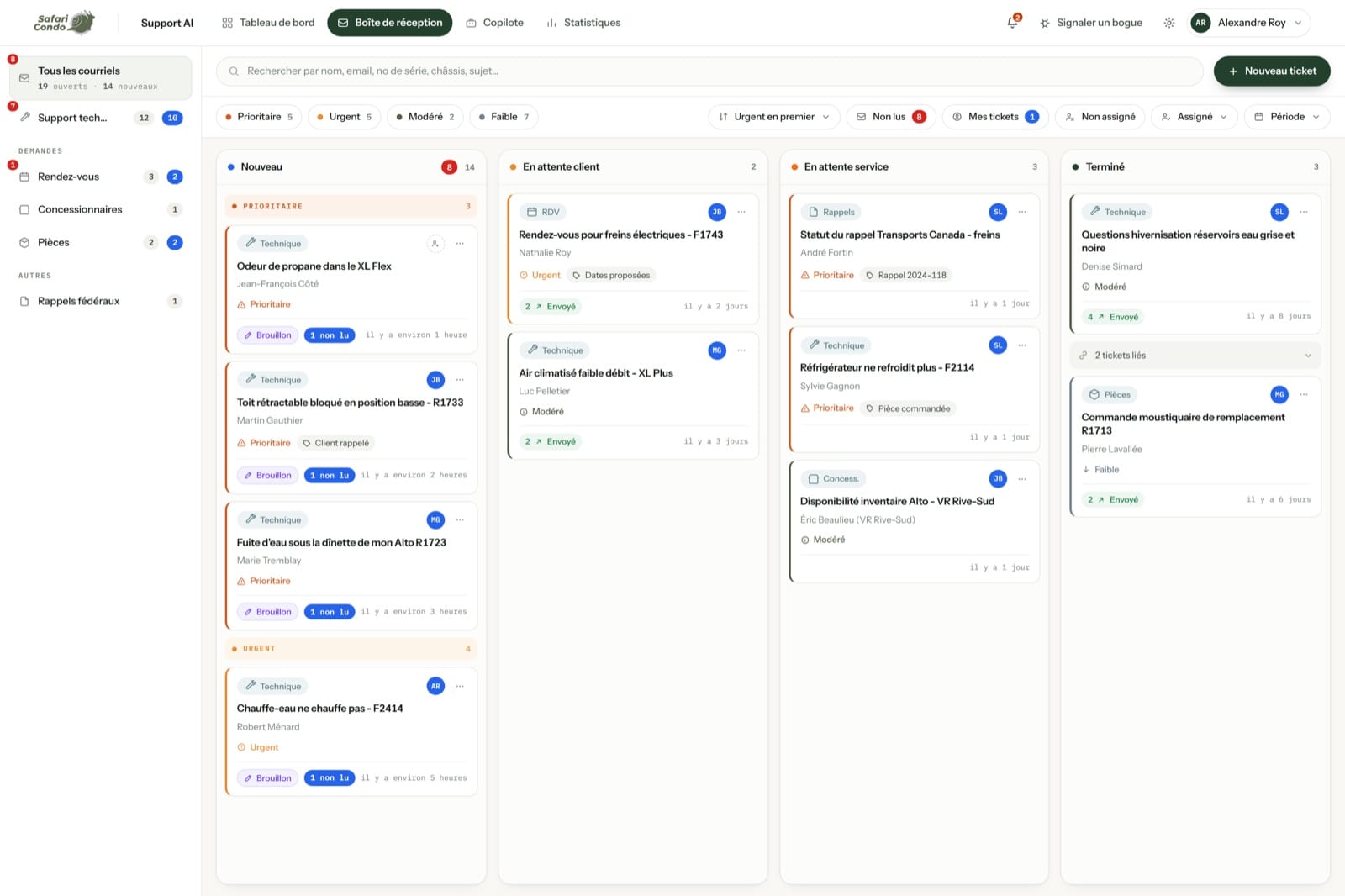
The team kept the desk it already used. We added a layer underneath it that reads, sorts and drafts each request, so the first human action is a judgement rather than a search.
Every incoming email lands in the team's existing Outlook mailbox and is picked up automatically through the Microsoft Graph API, in French or English, with its history attached.
AutomatedIt lands in the inbox it belongs to: technical support, appointments, dealers, parts or federal recalls.
AutomatedUrgency is scored, so someone stuck on the road doesn't sit behind a brochure request.
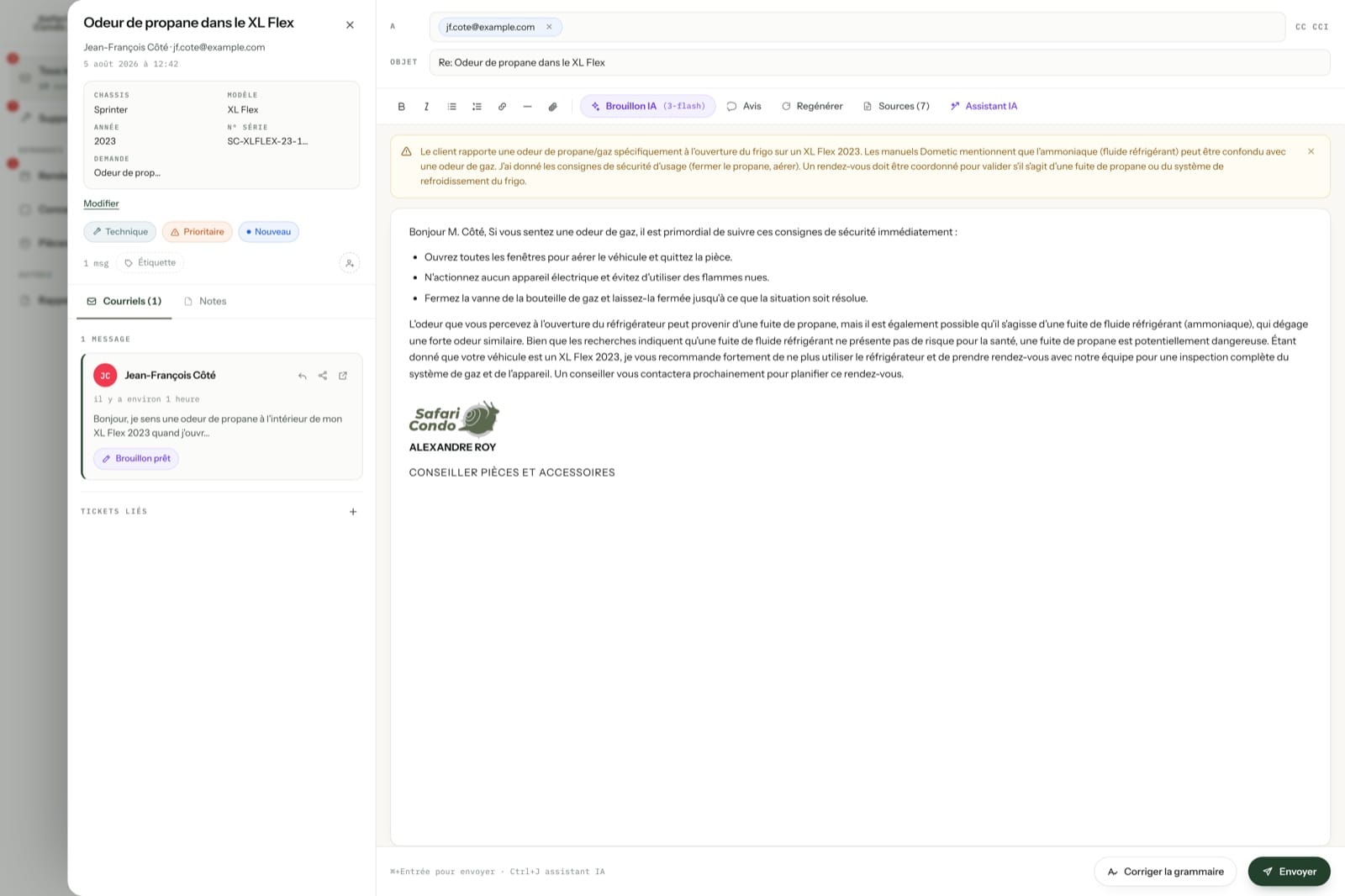
AutomatedThe relevant passages are pulled from the company's documentation, and a reply is drafted with the sources named for the agent to check.
AutomatedThe agent reads, edits if needed, and sends. Nothing goes to a customer on the system's own authority.
HumanWhere the answers come from
Service procedures, parts and warranty detail, manuals and published FAQs are ingested as a single corpus. That corpus shapes every draft, but a customer receives only the agent's reply, never the documents behind it.
Ingested
Drafted
The guardrails
We closed off the failure modes before automating anything, so these constraints were written into the spec from the start.
Every draft is grounded in the company's documentation and names what it used. If the documentation doesn't cover it, the draft says so and routes it to a person instead of inventing an answer.
The system prepares each reply and the team decides what to do with it. Every customer-facing message is read and sent by a person, which makes the added speed safe to use.
The documentation shapes the draft, but it is never sent to a customer. Citations exist so the agent can verify an answer before sending it.
The path
We started from the requests the team had received and measured every step against what a good agent would have replied, so the team's intent drove each technical choice.
What the desk can now see
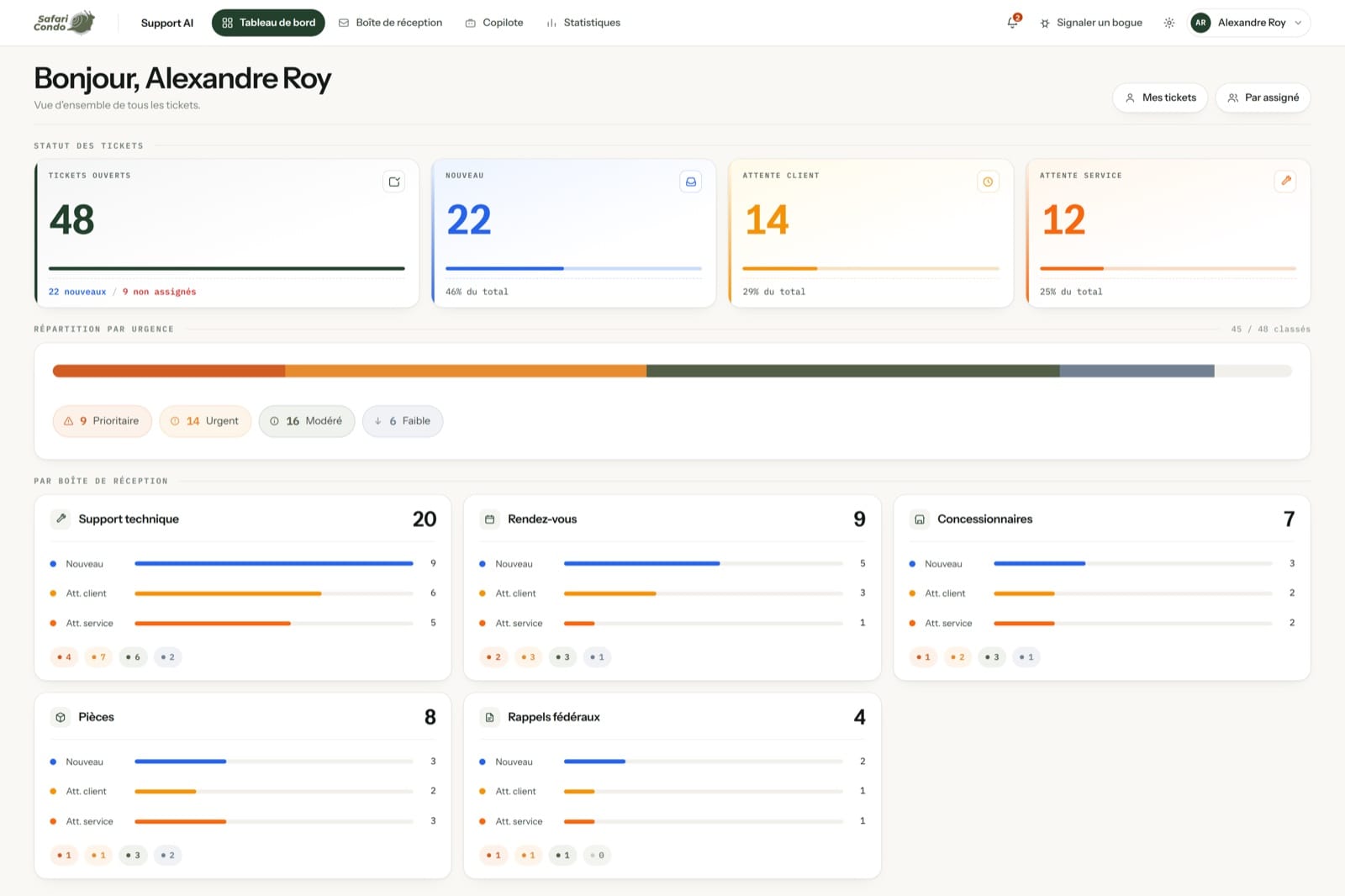
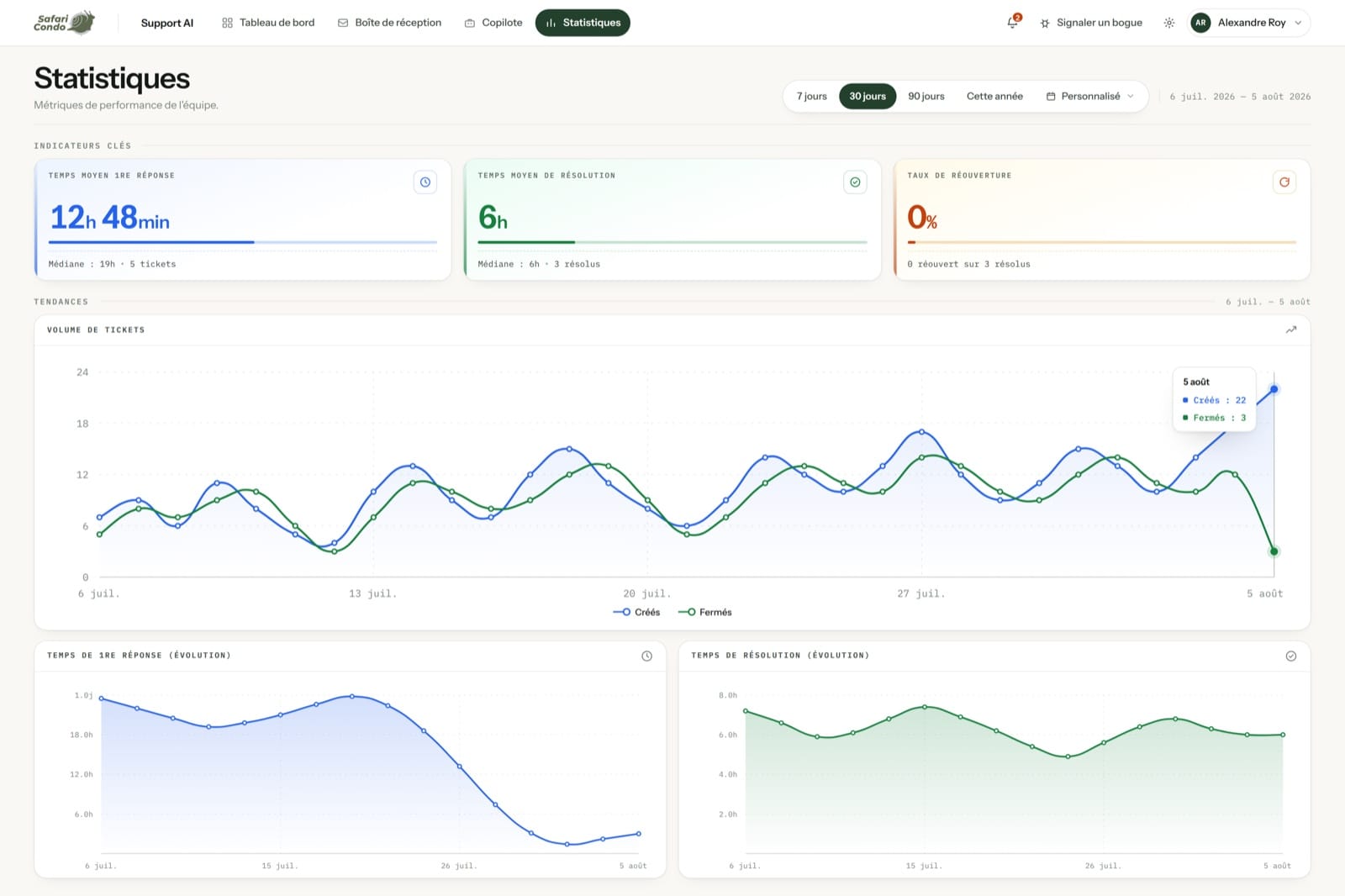
A shared mailbox produces no numbers. Because every request now flows through a database, the team can look at the backlog by status and urgency, and at how long replies and resolutions are taking.
The result
Each request now reaches the desk already sorted, ranked and drafted, and every answer a customer receives is still chosen by a person
For the customers
Faster first replies, and answers that match the documentation for their vehicle instead of a general guess.
For the team
Agents no longer search 2 sets of documentation for each request, so their time goes to judging and editing the reply.
For the business
Volume absorbed without adding headcount, and a live map of what owners keep asking, which is a product signal as much as a support one.
Your turn
Safari Condo is one case, and the method is how we run every AI build: start from the real work, ground every answer, and keep a human on the send button.
Reading, sorting, ranking and retrieving are where the hours go. Automating those steps is safe to measure and check, and it is usually enough to clear the backlog.
Answers come from what your business has written down, cited so your team can check them before anything is sent, which makes every output defensible.
We check that the system does what you meant and keeps doing it as your products, parts and policies change.
Tell us what lands in your inbox every day. We'll show you which part of it can be automated safely, and which part should stay human.
Have a project in mind?We build it and keep it running.
Book a call