All case studies

Case Study · Mobile App

FitCook Foodz A complete mobile app for iOS and Android

A recipe library with full nutrition data, a native store integrated with Shopify, a premium subscription, cooking courses and a loyalty points program, shipped to both app stores from one Flutter codebase.

App Store
Google Play
Rating
5.0
Downloads
5K+
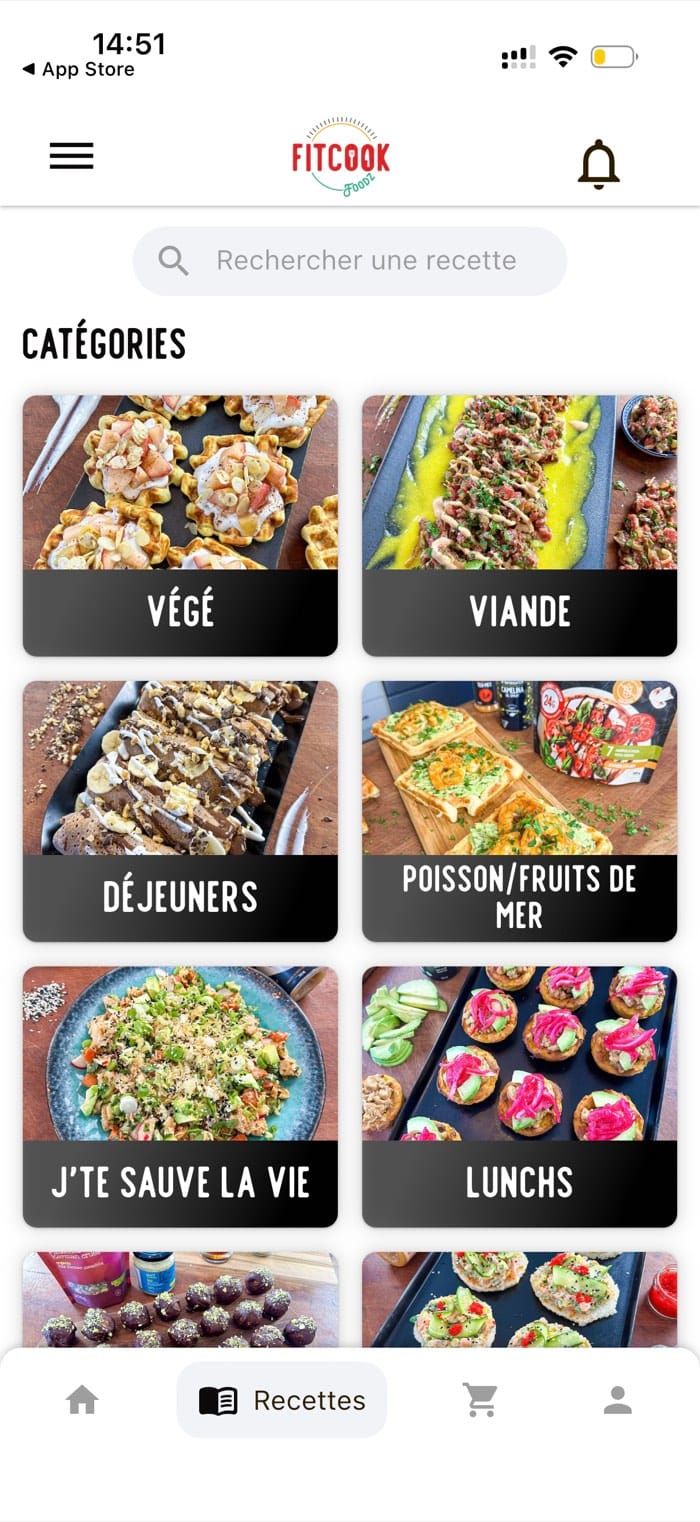
FitCook Foodz recipe browser with search and recipe categories
2 App stores Apple App Store and Google Play.
1 Codebase Flutter for iOS and Android.
5.0 Store rating Published store rating.
5K+ Downloads Published download count.

The brief

One app for an entire food brand

FitCook Foodz was already running several businesses at once: a recipe audience, a cooking-class product, a line of sugar-free syrups and a community that posted its plates every day. Each one lived on a different platform, and none of them shared a customer account.

The first release had to bring all of them to iOS and Android within a defined budget.

  • Recipes & nutrition
  • In-app store
  • Ratings & reviews
  • Premium subscription
  • Loyalty points
  • Cooking courses
  • Community feed

What went into release 1

  • RecipesSearch, categories, nutrition numbers, ingredient checklist, step-by-step mode, favorites
  • StoreNative catalog, cart, checkout and order history, wired to FitCook's existing Shopify store
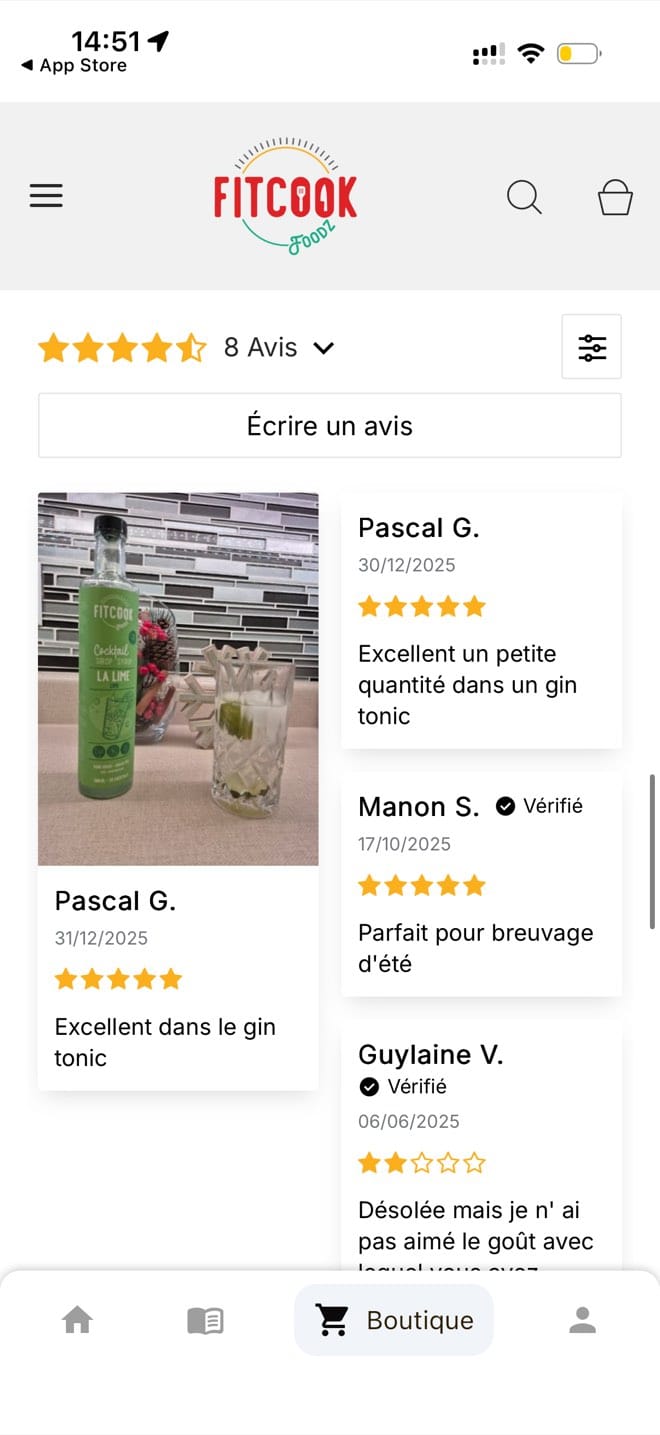
  • ReviewsShopify's ratings and reviews, shown natively: star ratings, verified-buyer badges, photo reviews, filtering
  • PremiumMonthly and annual plans through in-app purchase, locked content
  • CoursesCooking courses in modules, with progress per module
  • LoyaltyPoints balance, ways to earn, 4 discount tiers, birthday reward

Every product area shipped from one codebase to both app stores, and we agreed the full list with the client before the first cycle started.

What was at risk

Mobile projects rarely fail on technology

They fail when the client hears nothing for weeks, when scope grows without a decision and when the invoice changes. FitCook Foodz raised those concerns first, so we set up the engagement to address each of them.

The usual mobile build
How this one ran
Months of silence, then one big reveal at the end.
A working build every 2 weeks, in the client's hands.
Scope creeps, hours pile up, the invoice moves.
We agreed the scope cycle by cycle, and added no feature without the client's approval.
Priorities are locked the day the contract is signed.
Priorities re-ranked at the start of every cycle, as the business learned.
Launch day is the finish line, so the app stops there.
It shipped with a roadmap and 60 days of warranty.

What our team built

Every product area, in one app

Every screen below is in the shipped release, on both stores. The recipes, the store, the subscription and the points all run off one account.

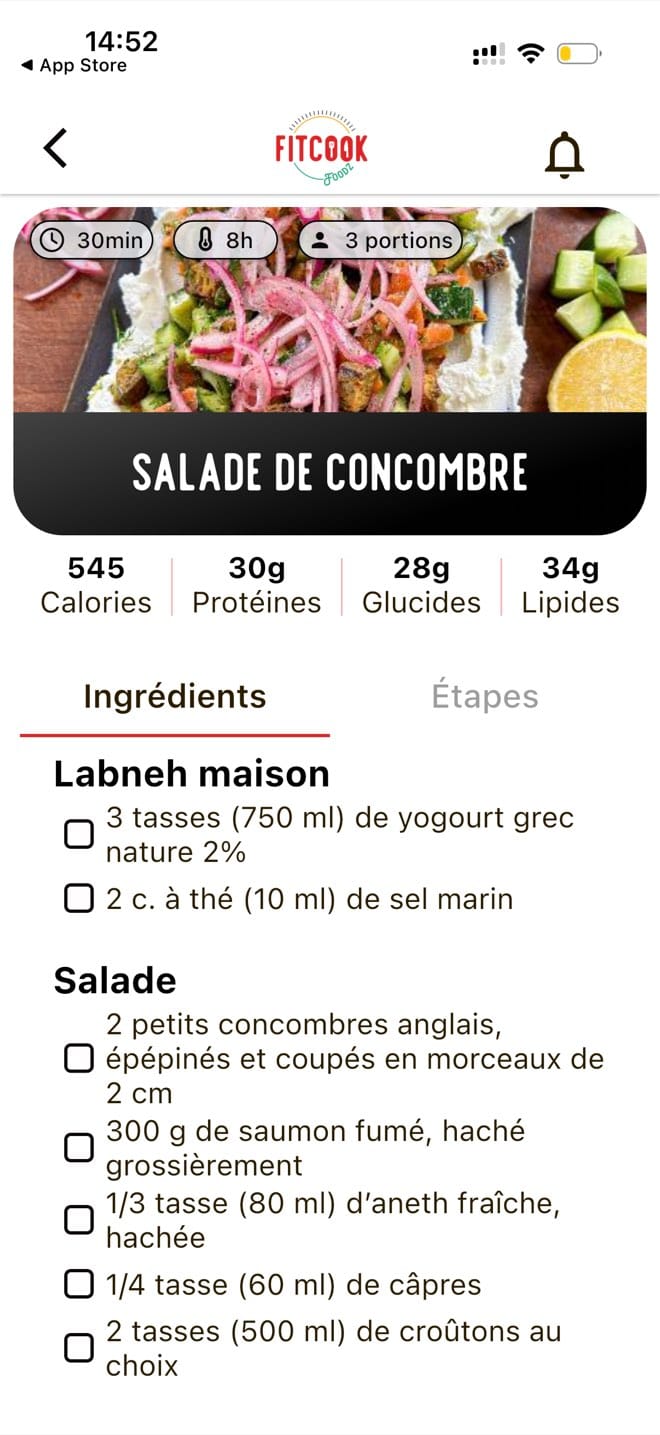
FitCook Foodz recipe page showing calories, protein, carbs and fat with a checkable ingredient list
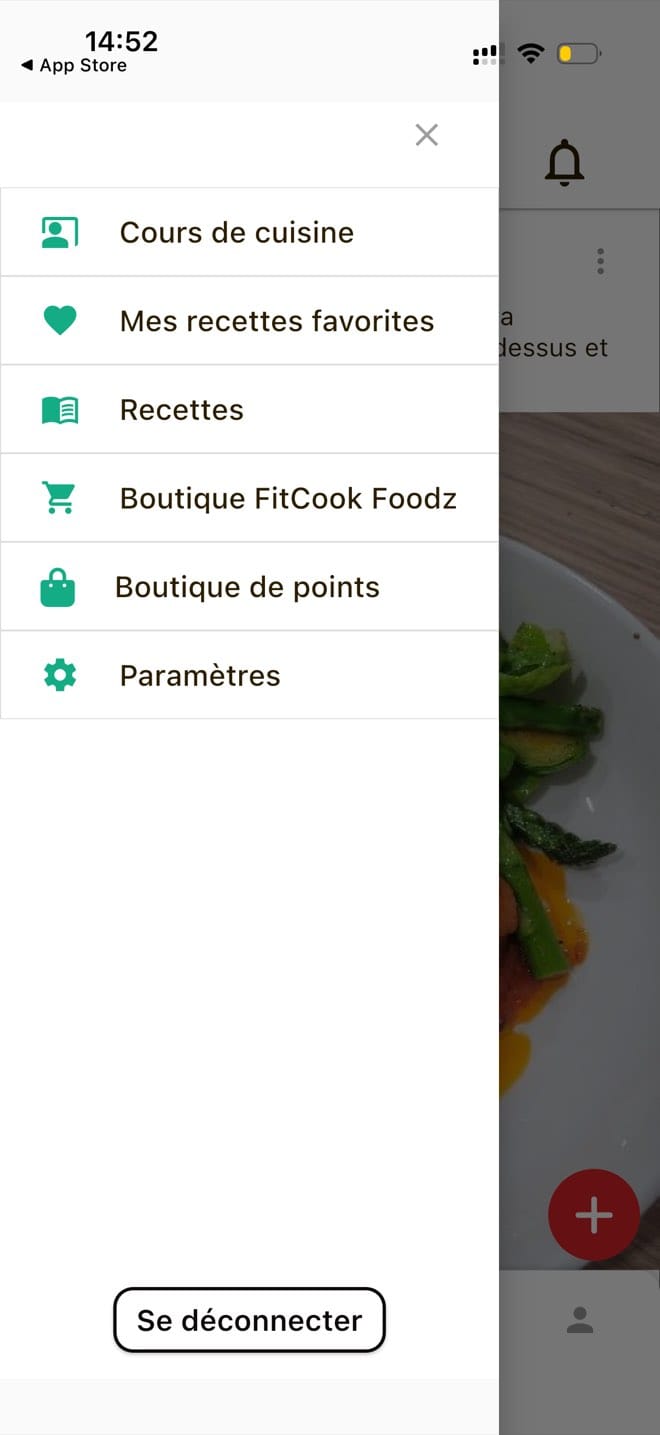
FitCook Foodz navigation drawer listing cooking courses, favorite recipes, recipes, store, points store and settings

Recipes & nutrition

Every recipe carries its own nutrition data

Each recipe stores its own numbers: calories, protein, carbs, fat, active time, resting time and portions. Ingredients and steps sit on separate tabs, and every ingredient is a checkbox you tick as you go, so you can follow the recipe while you cook.

  • Search across the full catalog
  • Recipe categories to browse
  • Nutrition numbers per recipe
  • Prep time, rest time and portions
  • Checkable ingredient list
  • Separate ingredients and steps tabs
  • Favorites per account

The categories use the client's own names: Végé, Viande, Déjeuners, Poisson/Fruits de mer, Lunchs, J'te sauve la vie.
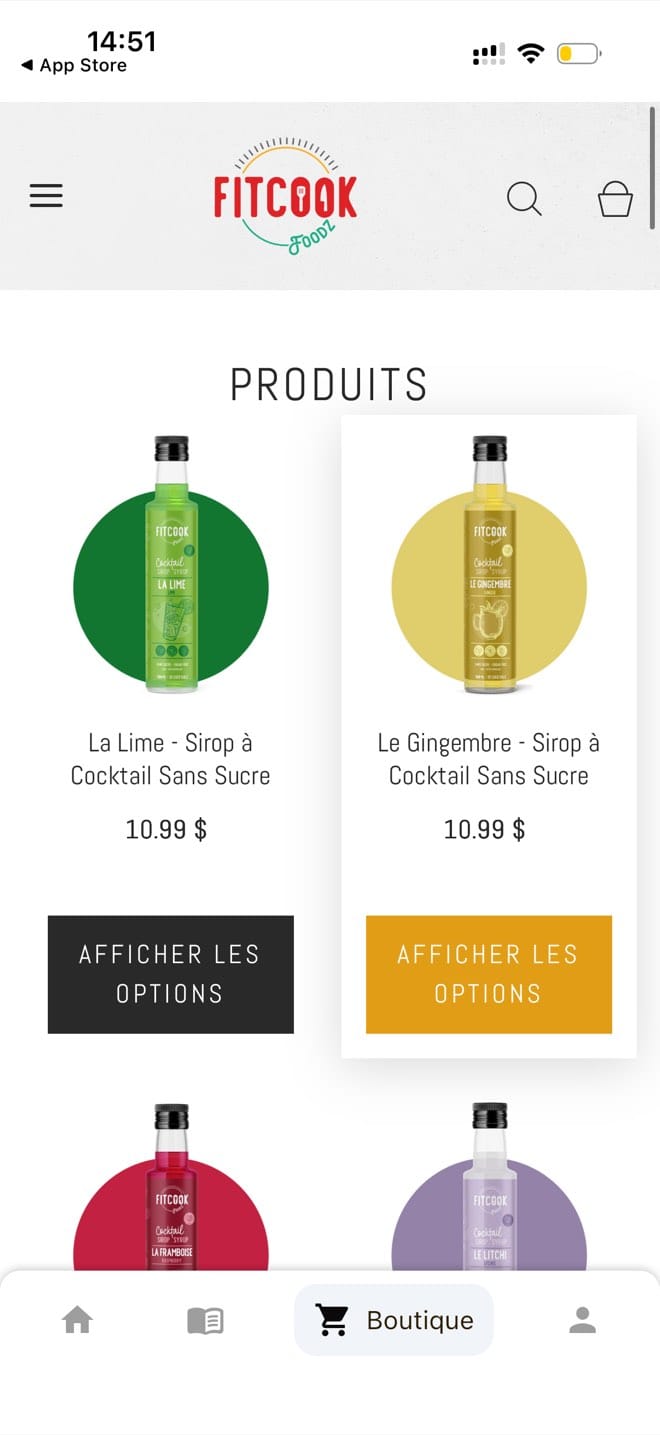
FitCook Foodz in-app store showing the sugar-free cocktail syrup product grid with prices
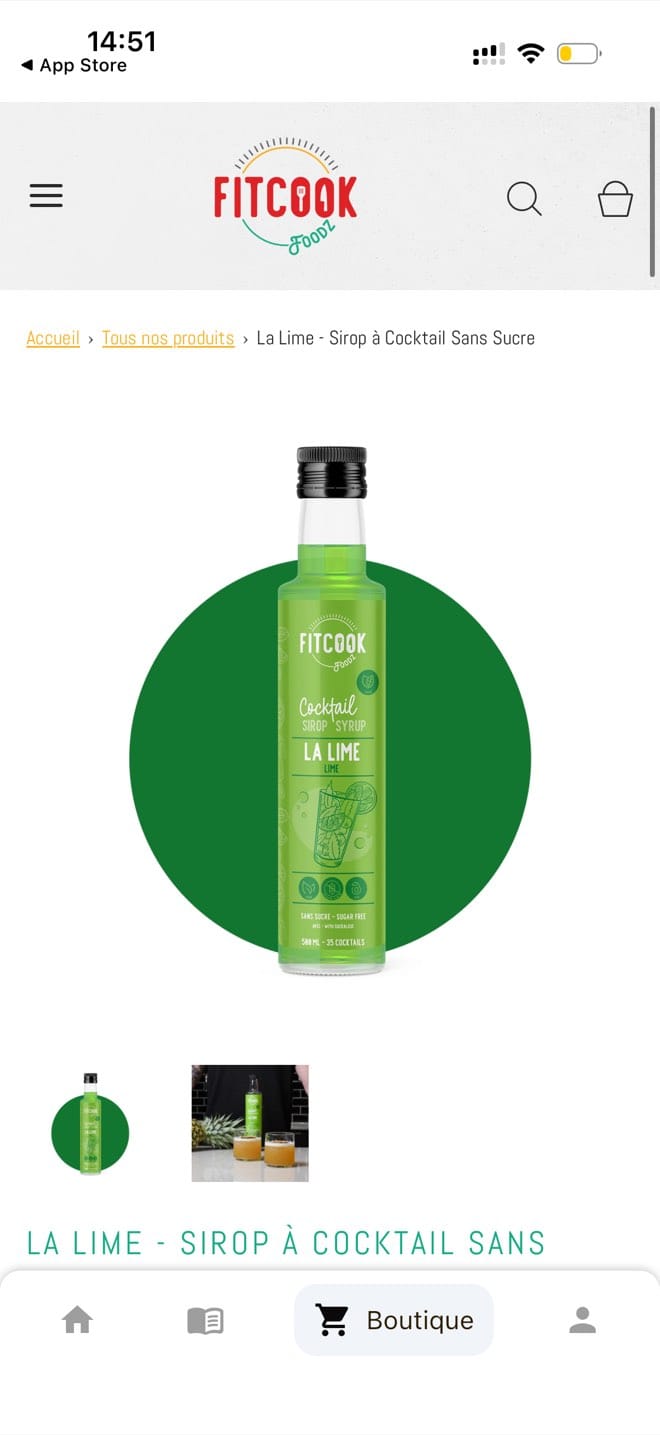
FitCook Foodz product page for a lime cocktail syrup with image gallery and breadcrumb navigation

In-app store

FitCook's Shopify store, integrated into the app

FitCook Foodz already runs its line of sugar-free cocktail syrups through Shopify. We built native catalog, cart and checkout screens wired to that existing Shopify store, so customers browse, buy and see their order history without leaving the app or landing in a browser.

  • Native catalog, cart and checkout screens
  • Built on FitCook's existing Shopify store
  • Multi-image product galleries
  • Options and variants per product
  • Store search
FitCook Foodz product reviews with a 4.5 star average, verified buyer badges and a customer photo review

Ratings & reviews

Shopify's reviews, shown on the app's product pages

FitCook Foodz already collects star ratings, verified-buyer badges and photo reviews through Shopify. We display that data natively on the product pages inside the app, instead of sending customers to a browser to read it.

  • Star ratings and review counts
  • Verified-buyer badges
  • Customer photo reviews
  • Sorting and filtering
  • Per-product aggregate score
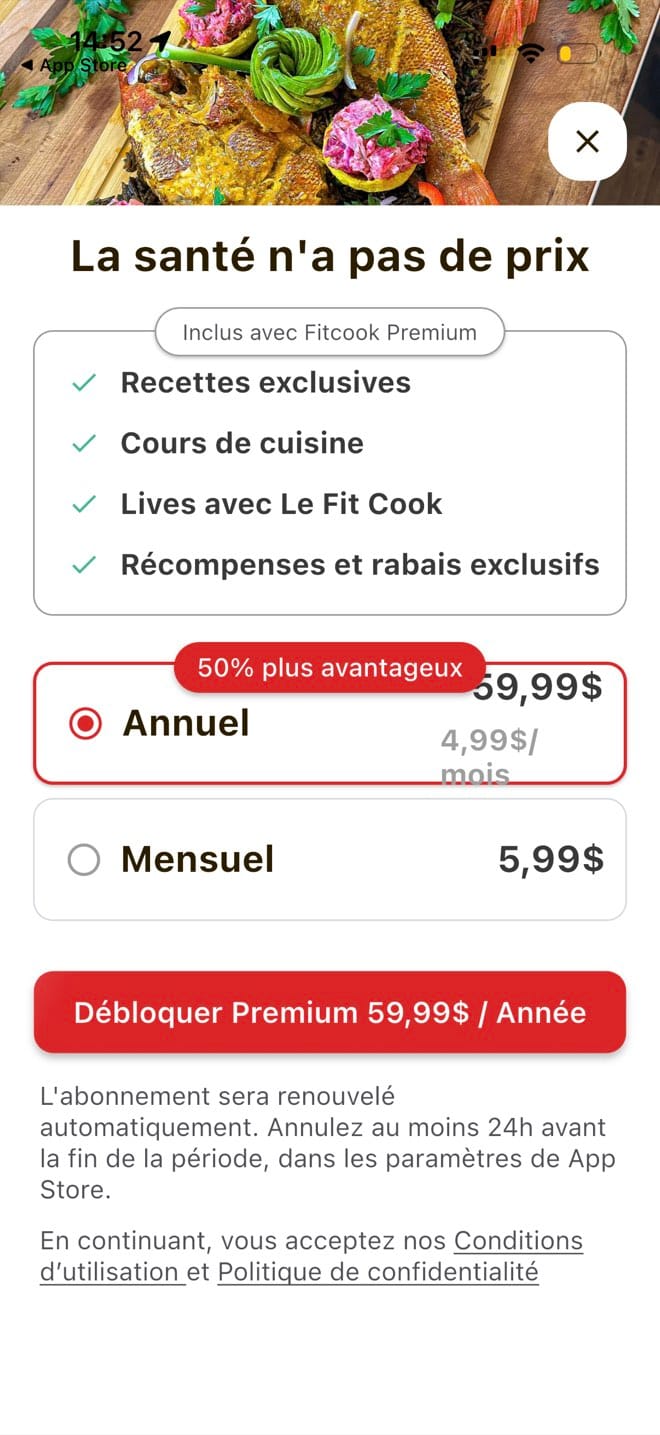
FitCook Foodz Premium paywall comparing an annual and a monthly plan with the included benefits
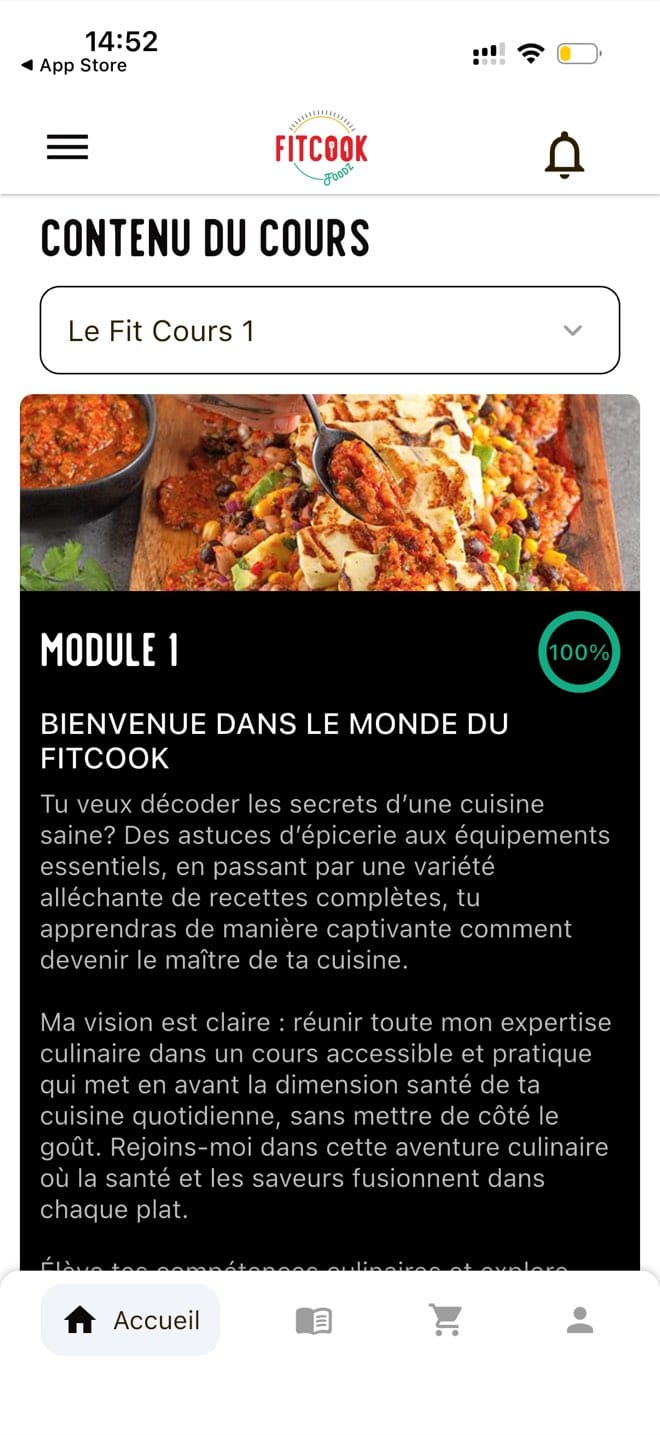
FitCook Foodz cooking course module with a 100 percent progress ring

Premium & courses

Subscriptions billed by Apple and Google

Premium is a native in-app purchase, monthly or annual, billed by the App Store and Google Play. The renewal and cancellation terms sit on the screen before payment, which is the part store reviewers read first. A Premium account opens the exclusive recipes, the live sessions and the cooking courses, and each course module keeps its own progress.

  • Monthly and annual plans
  • In-app purchase on both stores
  • Renewal and cancellation terms on screen
  • Locked content checks the subscription
  • Course picker with modules
  • Progress saved per module
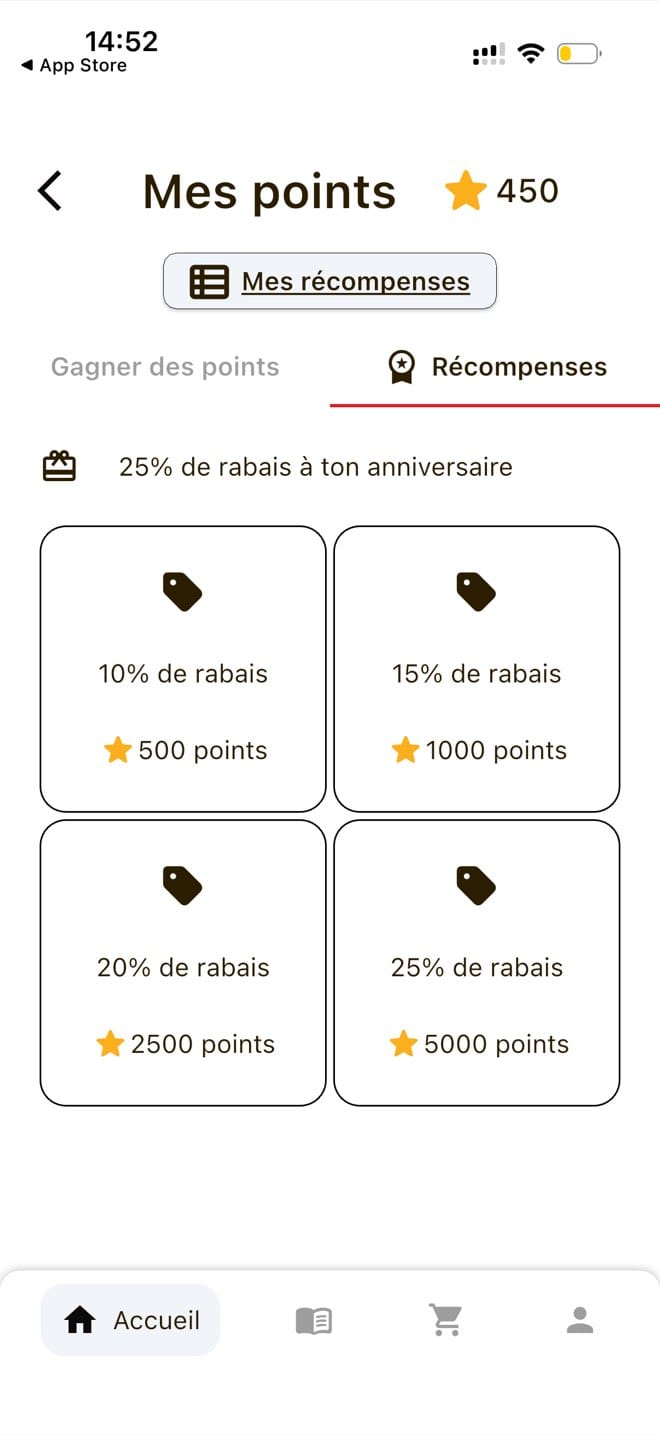
FitCook Foodz loyalty screen showing a 450 point balance and discount rewards from 500 to 5000 points

Loyalty points

Points that turn into store discounts

Members earn points for what they already do in the app, then spend them on discounts. There are 4 tiers, from 10% off at 500 points to 25% off at 5,000, plus a birthday reward that arrives automatically.

  • Live points balance
  • Separate earn and redeem tabs
  • 4 discount tiers, 10% to 25%
  • Automatic birthday reward
  • Points store with claimed rewards
  • Discount applied at checkout
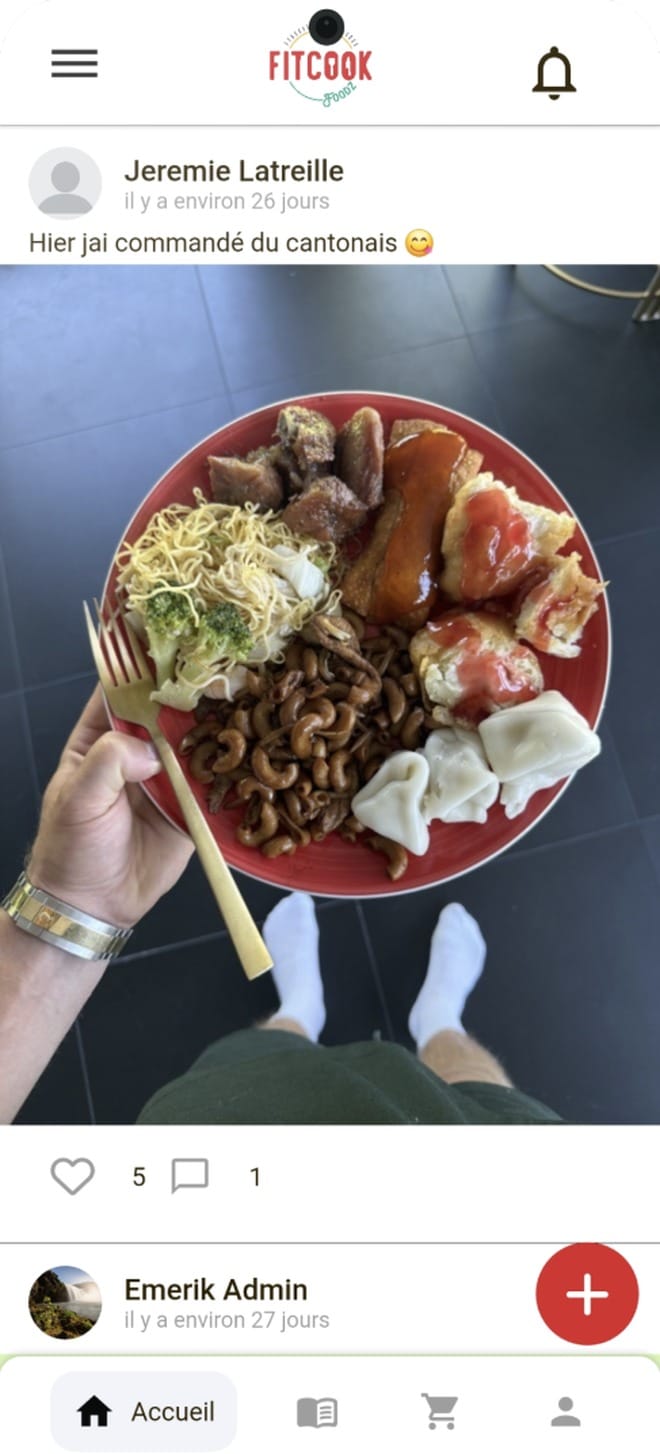
FitCook Foodz community feed with a member post, photo, likes and comments

Community

The community feed, inside the brand's own app

The community used to live on a social platform the brand did not control. Now members post their plates from the app, like and comment on each other's posts, and the brand posts in the same feed, next to the recipes and the store.

  • Member posts with photos
  • Likes and comments
  • Post composer in-app
  • Brand and member posts in one feed

The path

Built in the open

We ran the project as a product management engagement. Every 2 weeks the client saw what had been built, approved what came next and knew what it would cost.

  1. Initial analysis

    Before a line of code
    • We turned each business goal into a named feature
    • We wrote down the scope and the limits
    • We agreed what the first release would contain
    • Everything else went on a roadmap
  2. Scope agreed in advance

    Every cycle
    • The client approved the features before we started
    • The client saw what was done and what came next
    • We added no feature without the client's approval
    • Every decision came back to a business goal
  3. A build every 2 weeks

    Working build each cycle
    • We delivered working features every 2 weeks
    • The client tested each build and sent comments
    • We re-ranked the priorities at the start of each cycle
    • The client approved the work as it arrived
  4. Quality & launch

    Through store review
    • We tested every delivery before the client saw it
    • If something was wrong, we fixed it inside the cycle
    • The client signed off on each set of features
    • The client saw the budget across the approved scope
  5. 60-day warranty

    After launch
    • The app met its first real users
    • We covered fixes on everything we shipped
    • The client had the next set of features written down
    • The work carried on after launch day

The result

Live on both stores, with the next release already written down

A complete app, live on the Apple App Store and Google Play. It holds a 5.0 rating and has passed 5,000 downloads.

For the product

Recipes with nutrition data, a native store integrated with Shopify, a subscription, cooking courses, loyalty points and a community feed. Everything shipped in one release to both stores and passed Apple and Google review.

For the team

The client made the product decisions and we ran the build. They finished the project with the next set of features already written down.

For the budget

Each cycle had its scope and price agreed before it started. The client could change the plan between cycles without changing the contract.

Your turn

Every DevStudio build runs this way

Nothing in the FitCook Foodz process was specific to this client. On every DevStudio build we agree the intent, write the spec, build in 2-week cycles, verify the result and then ship to the stores.

You pay per cycle, not per hour

You approve what a cycle contains before it starts, and you know its price before it starts. We add nothing without your approval.

A working build every 2 weeks

Each cycle finishes with a build you can open and use, so there is no single reveal at the end of the project.

Verified, then shipped to the stores

We check the build against the spec you approved. Then we take it through Apple and Google review, and cover fixes for 60 days after launch.

Your app, live on both stores

Send us a description of your app. We write down what it has to do, scope the first cycle, and give you a date and a price you can plan around.

Have a project in mind?We build it and keep it running.

Book a call